OmniC
← Back to OmniC
OUR PRODUCTS / OMNIC PLAYER

Your devices.
Your playlists.

OmniC Player brings your own TV playlists, films and series together in a remote-friendly interface for Android TV and TV boxes. Connect your sources through the Player account and choose how you want to watch.

Player account ↗
OmniC Player is a media player. It does not provide TV channels, playlists or subscriptions to content. Use only content you are authorised to access.

Release 1.0.19

Signed APK · build 20. Parental controls with one account PIN, automatic adult-category protection, animated locks and automatic relocking when the app goes into the background. Russian fullscreen controls and improved TV navigation. Android 8.0+; all four CPU architectures included.

For Android devices running Android 8.0 or later. Tested on Android TV / Google TV; compatibility depends on the device and media source.

OmniC Player installation and setup guide

A short video guide to account registration, device pairing with the 6-digit code, adding M3U and Xtream Codes playlists, and loading them in the app. English interface and captions.

Open the standalone video guide ↗

Screenshots

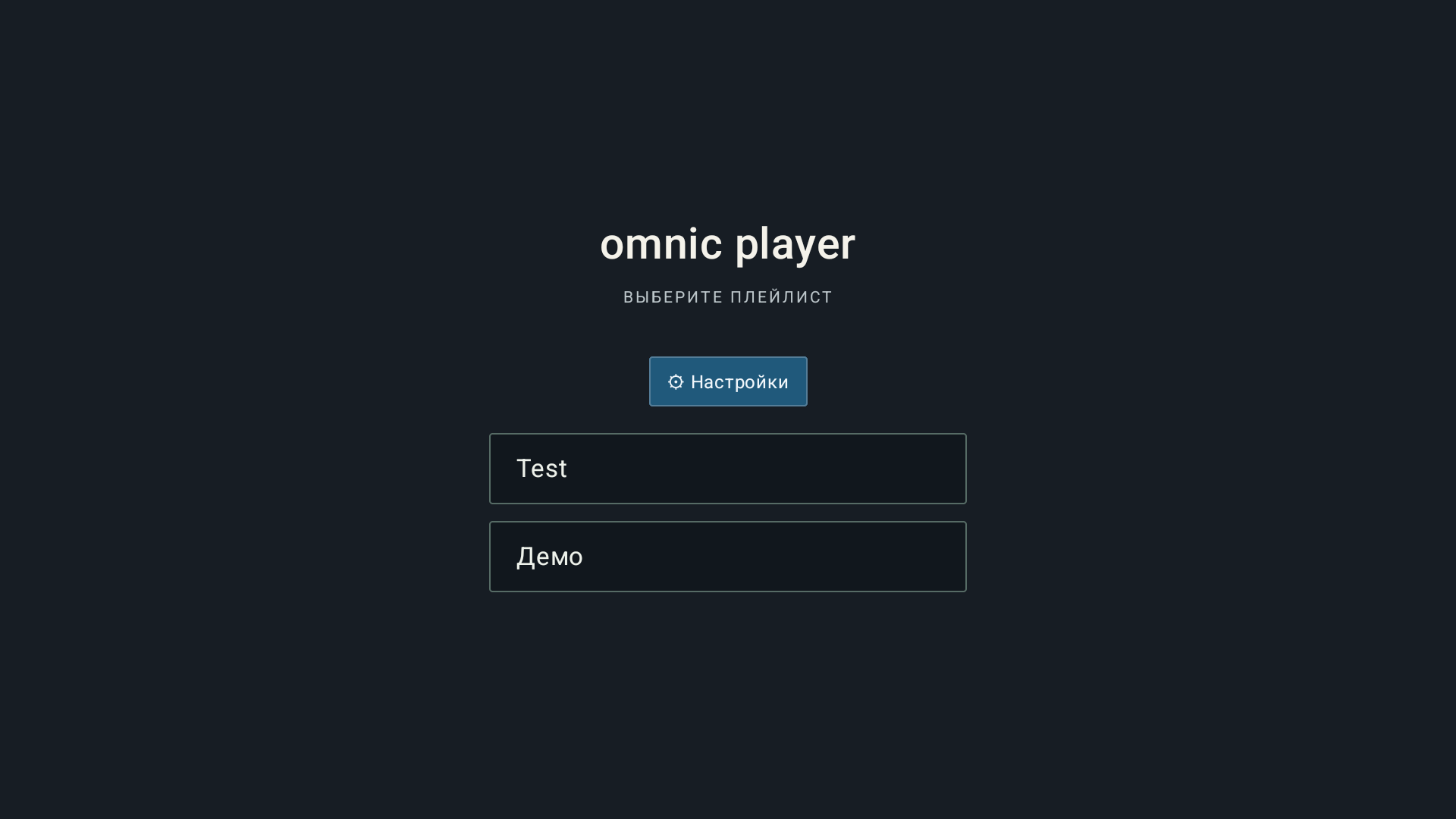
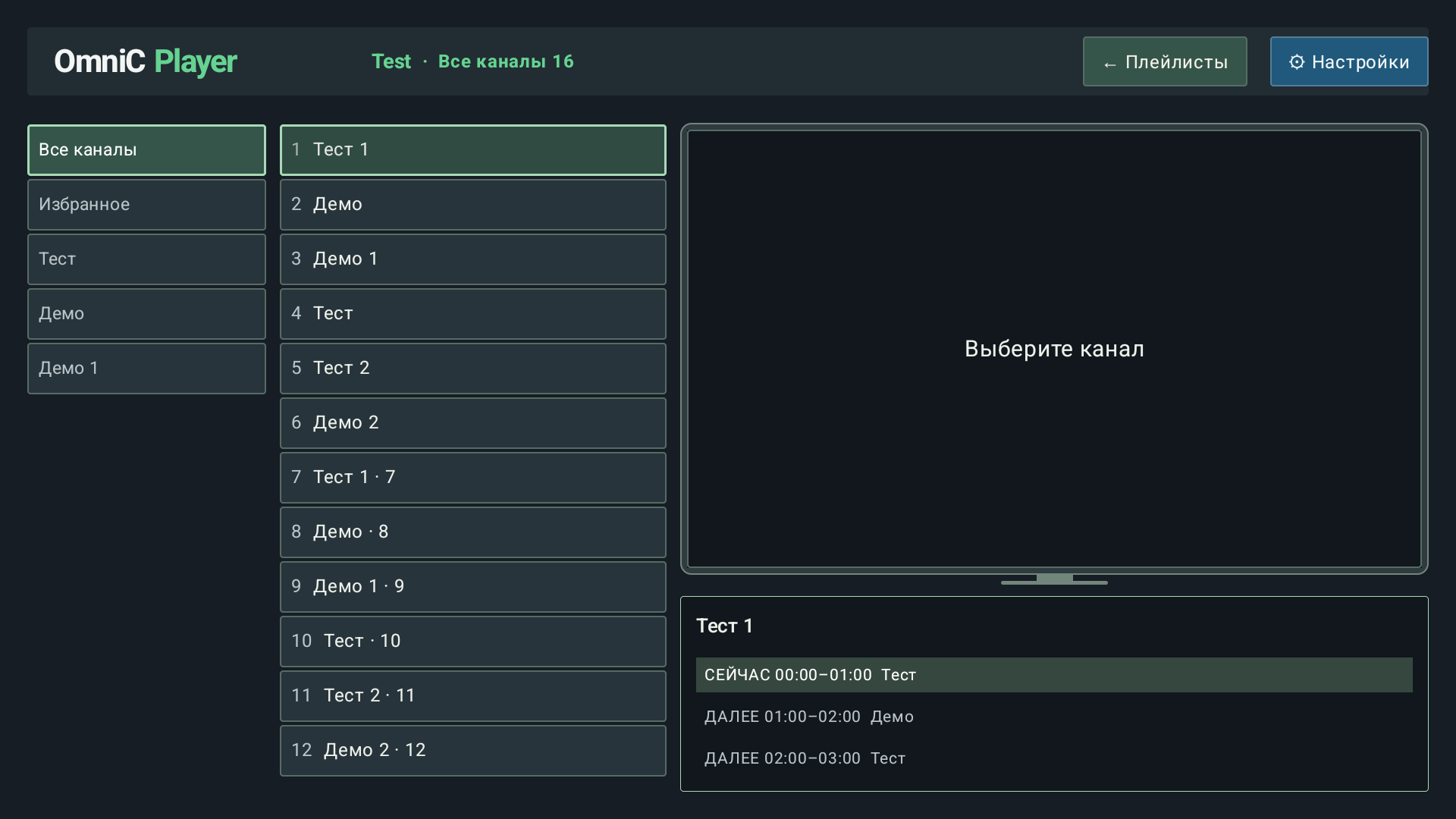
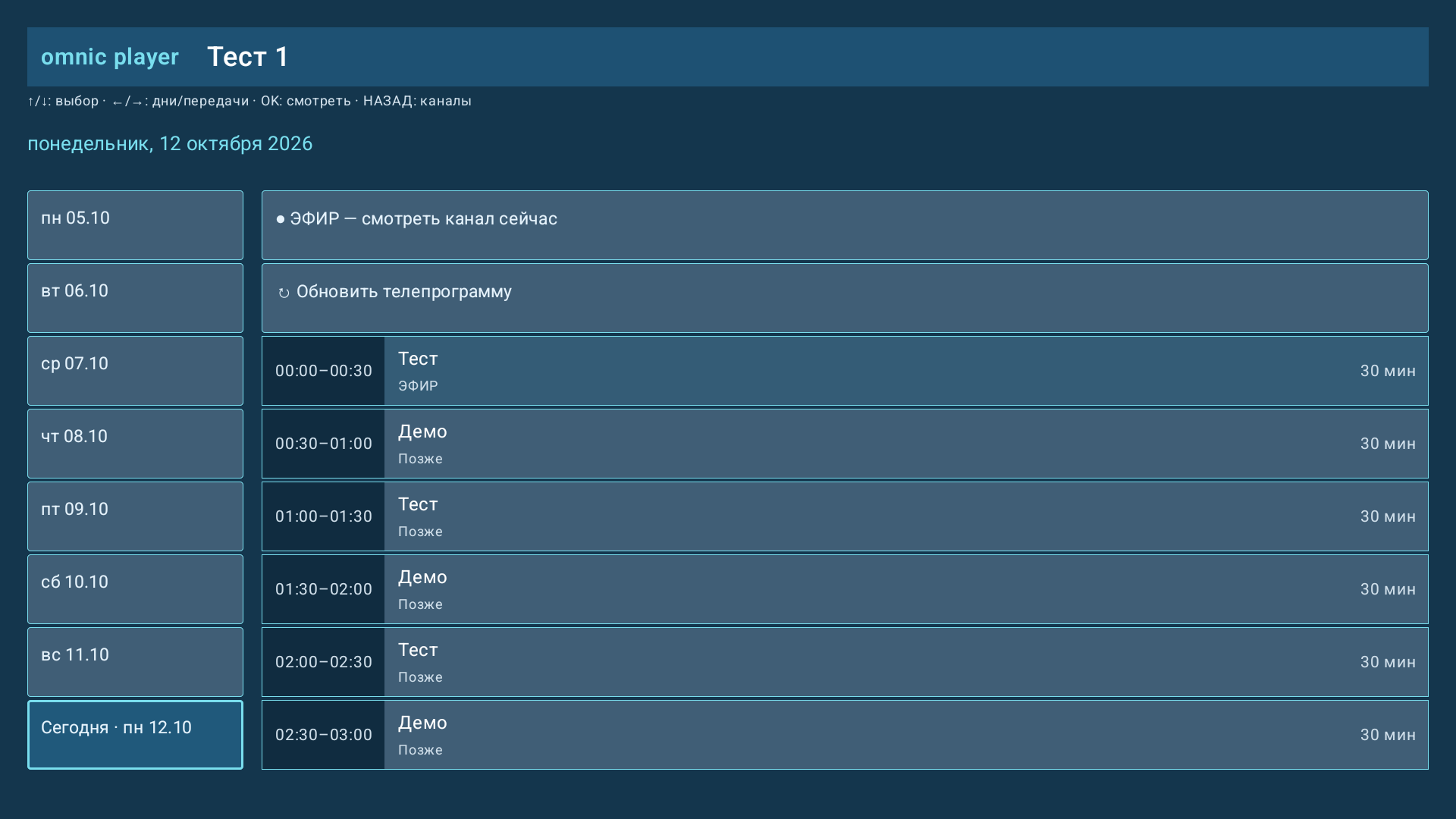
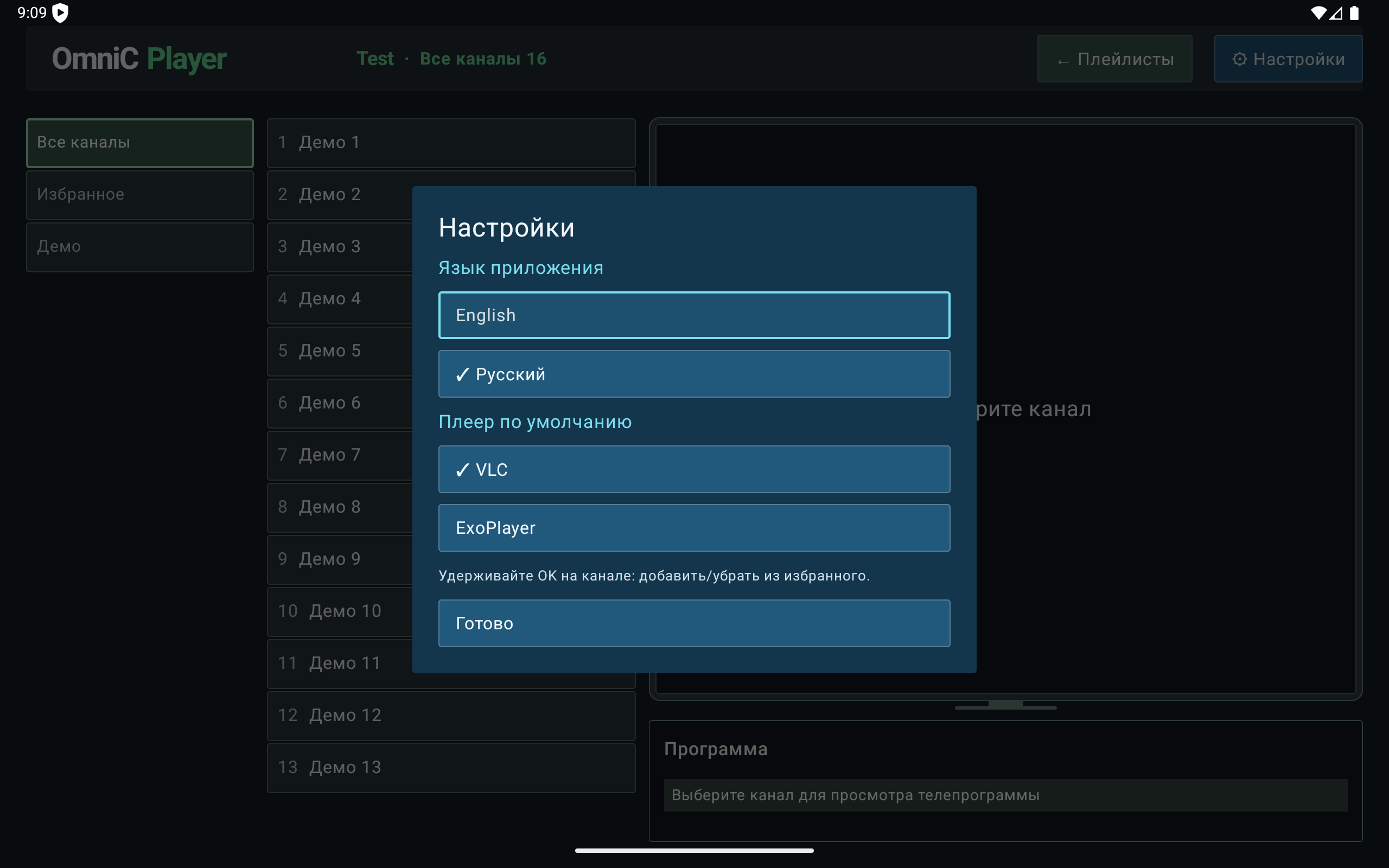
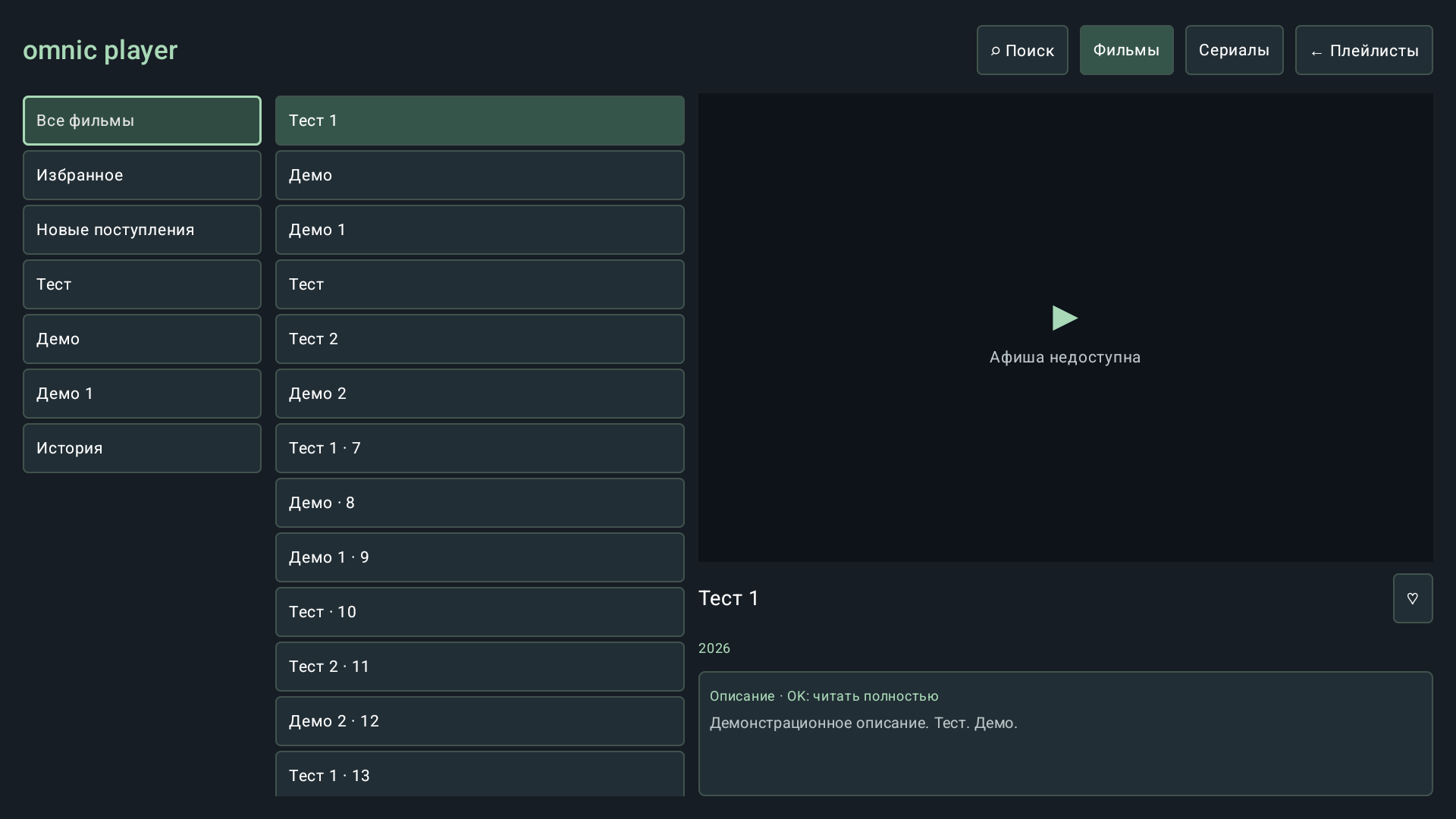
The OmniC Player interface with a demonstration playlist. Test and Demo names are sample data; the app includes no media content.

What OmniC Player can do

Your sources, one familiar interface. Available content and metadata depend on your playlist and provider.

M3U playlists and Xtream Codes

Use M3U playlists or a provider account with Xtream Codes credentials. Manage playlist assignments and link devices with the code displayed in the app through player.omnic.am. Switch between assigned playlists without reinstalling the player.

Live TV and radio

Browse channels by category, select a stream and watch it in the preview window or full screen. Radio entries in a supported playlist have a dedicated listening view. Use the remote to navigate and control playback.

Films and series

Xtream accounts can provide a film and series library with posters, descriptions, seasons and episodes. Continue from saved playback progress, browse viewing history and see newly added titles detected after catalogue updates.

Search your media library

Search films and series by title or part of a title and combine it with year and genre filters. Select the year and available provider genres with Up, Down and OK. Genre names keep the provider’s language; if no genres are available, enter one manually. Missing metadata can make filtered results incomplete.

EPG and programme archive

Read programme information from a supplied XMLTV guide and browse the TV schedule. Watch previous programmes when the provider supplies compatible catch-up links and archive access. EPG and archive availability depend on the source.

Favourites and playback controls

Add or remove channels from favourites by holding OK, arrange your favourite channels and use the remote for playback, seeking and track selection. Available audio tracks and subtitles depend on the stream.

Two playback engines

Choose VLC or ExoPlayer as the default engine and change the engine when needed. Live streams, HLS and on-demand media are supported according to the engine, stream format and device capabilities.

Ready for the living room

A TV interface with visible selection, remote navigation, channel numbers, a preview player and full-screen viewing. Choose English or Russian for the app interface. Stored playlists and programme data help the app retain useful information between visits.

Android and processor compatibility

The signed universal APK includes native libraries for four processor architectures. These are CPU architectures, not four different Android versions.

Android 8.0 or later (API 26+)

Supports Android TV, Google TV, Android TV boxes, phones and tablets running Android 8.0 or later. Phones and tablets use a landscape interface with touch controls.

armeabi-v7a32-bit ARM
arm64-v8a64-bit ARM
x8632-bit Intel-compatible x86
x86_6464-bit Intel-compatible x86

Architecture support alone does not guarantee playback on every model. Codec support, hardware decoding, firmware, network quality and the provider’s stream also matter. Internet access and your own playlist or provider account are required to load and play online content.

What is new in 1.0.19

One correct PIN opens protected Live TV, VOD movies and categories for the current session. Leaving the app closes the locks again. The numeric keyboard checkmark confirms the PIN immediately. Adult categories are protected automatically; locks animate and fullscreen controls follow the selected language.

Manage devices & playlists

The existing Player account supports sign-in, registration and password recovery. Access it using the link below.

Player account ↗

Partner with licensed providers

Do you lawfully provide TV channels or media content? We welcome cooperation with licensed companies and rights holders. Contact us to discuss using OmniC Player for your customers, compatibility and integration options.

Discuss a partnership ↗